
What's New
Get Instant AI Feedback on Checklist Images
What It Does:
Catch image issues instantly and improve the accuracy of checklist submissions.
Why It Matters:
Users now receive real-time AI feedback while answering image questions, helping them identify images that don't meet the configured criteria and retake them when needed.
.webp)
AI-generated summaries for checklist & workflow submissions
What It Does:
Get the key takeaways from a submission without reviewing every individual response.
Why It Matters:
AI analyzes the questions, user responses, comments, and image validation details to generate a concise summary of checklist and workflow submissions.

.jpg)
Auto-Generate Numbers for Your Checklist Records
What It Does:
Need to automatically assign a Visit No. every time a store visit is completed?
Why It Matters:
The configured question now automatically generates the next sequential number when the checklist is submitted, making it easier to identify and track individual visits. The same number is maintained wherever the question appears within that submission.
Capture Time-Based Information Directly in Checklists
What It Does:
Record when an activity happened or how long it took, directly within your checklist.
Why It Matters:
A new Time/Duration question type allows users to capture time or duration values as part of their checklist responses.

WHAT'S NEW
Save Checklist Progress and Resume Submissions Later
What It Does:
Need to pause your checklist and come back to it later?
Why It Matters:
Users can now save their checklist progress as a draft and continue from where they left off. Draft support is now available across all checklist schedules, making it easier to pause ongoing work without losing previously entered responses.
Offline support for Workflows
What It Does:
Keep workflow execution moving even when there is no internet connection.
What It Does:
Users can now complete workflow steps offline, with the captured data syncing once connectivity is restored.
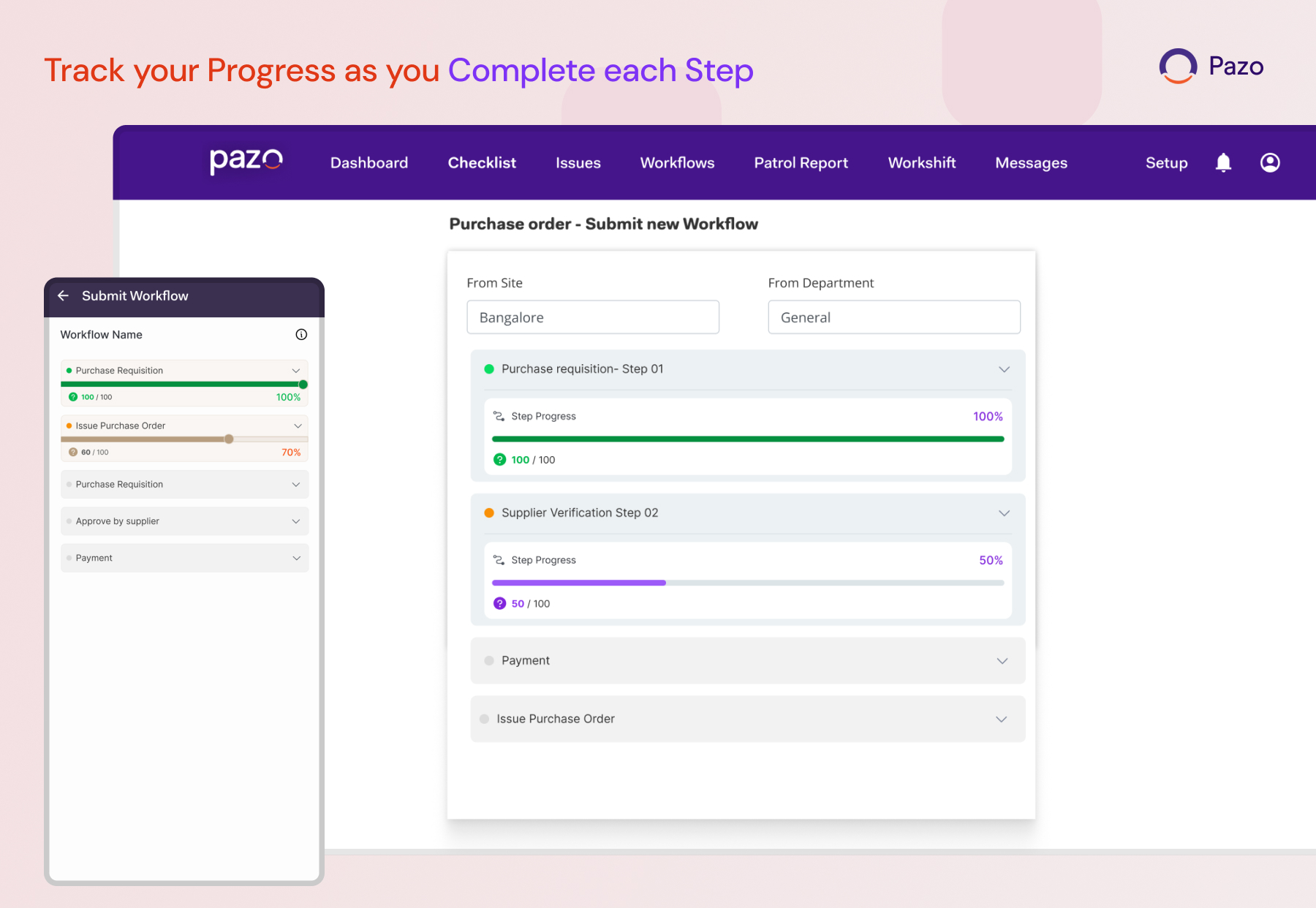
Track your progress as you complete each step
What It Does:
Know exactly how much of a workflow has been completed at a glance.
What It Does:
A progress indicator now shows users their current progress through workflow steps across both Mobile and Web.
See Important Answer Right on Your Workflow Cards
What It Does:
Get important workflow information without opening each workflow submission.
Why It Matters:
The first answer from Step 1 can now be displayed directly on the workflow instance card, making it easier to identify and review submissions.
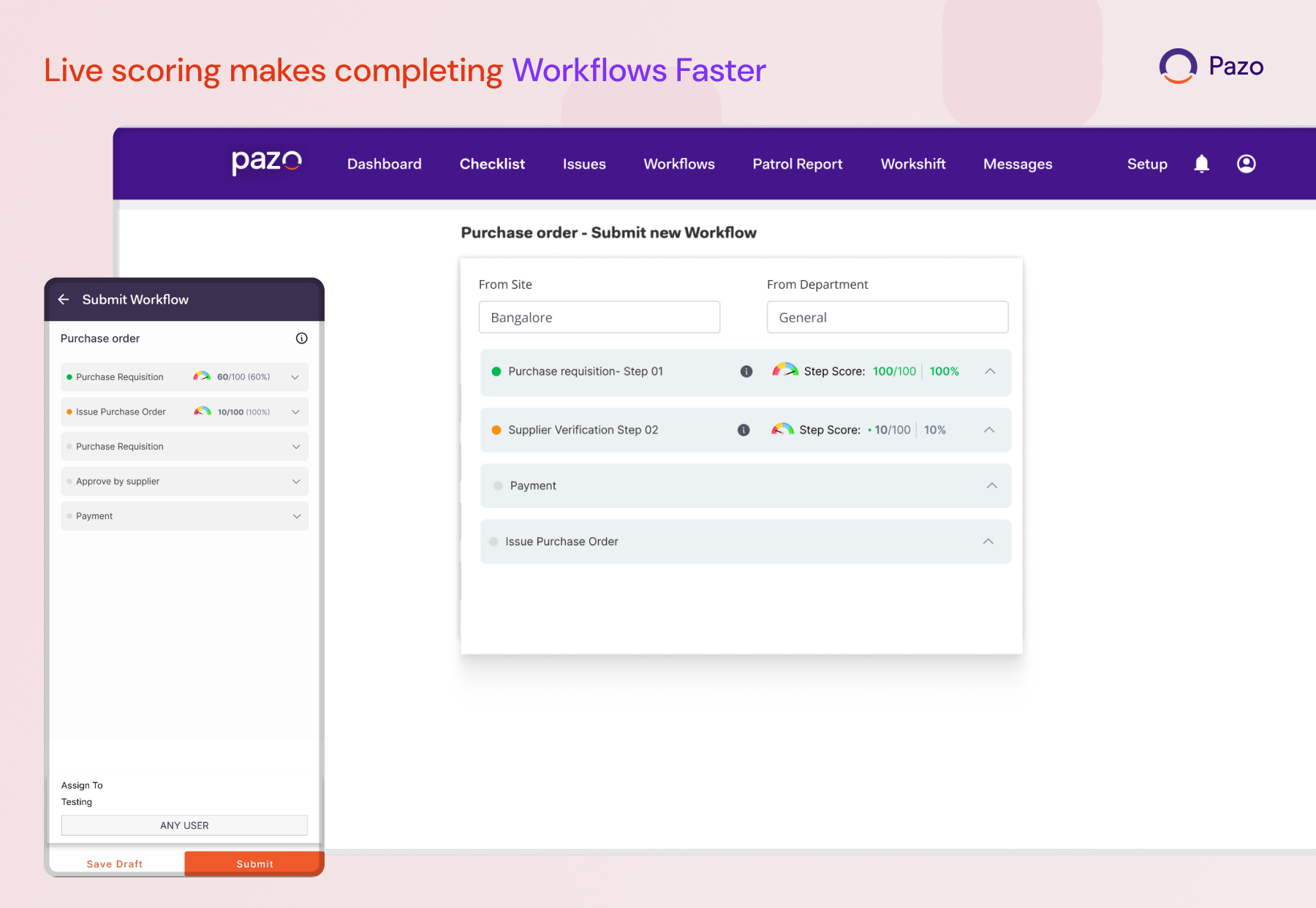
Live scoring makes completing workflows faster
What It Does:
Get immediate visibility into scoring while executing workflow steps.
Why It Matters:
When live scoring is enabled, users can see their score during execution instead of waiting until the workflow is completed.
Download Multiple Tasks in One Go
What It Does:
Users can now download multiple tasks in bulk, making task information available together instead of downloading tasks individually.
Why It Matters:
Reduces manual effort and makes it faster to access and work with task information across operations.
Find Submitted Workflows More Easily
What It Does:
New Created By and Assigned To filters allow users to narrow down submitted workflows based on who created or was assigned to them.
Why It Matters:
New Created By and Assigned To filters allow users to narrow down submitted workflows based on who created or was assigned to them.