
What's New
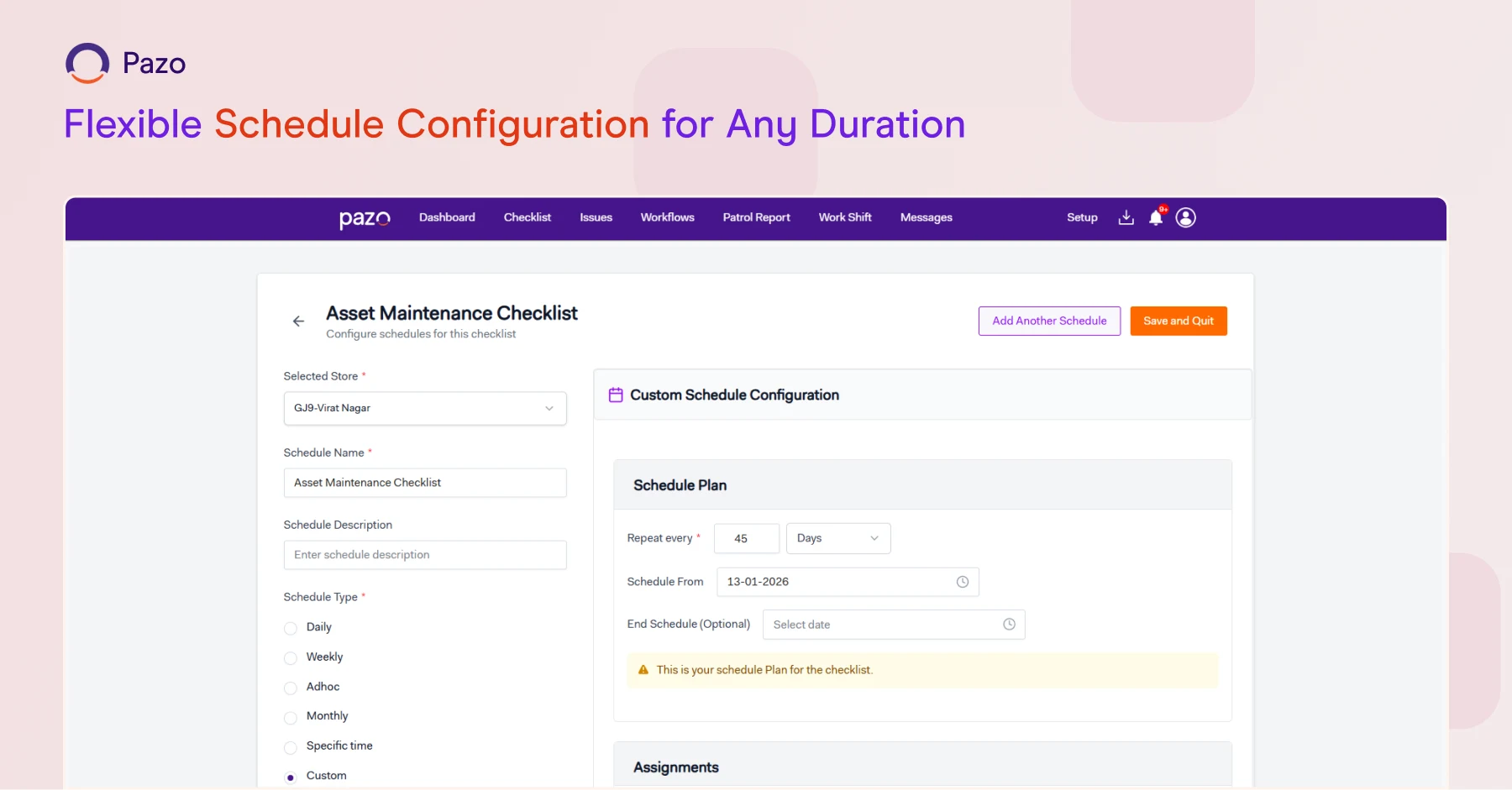
Flexible Scheduling with Custom Durations
What It Does:
Adds custom schedule durations like weekly, 45 days, monthly, half-yearly, or yearly.
Why It Matters:
Aligns schedules with real operational cycles instead of forcing rigid frequency options.
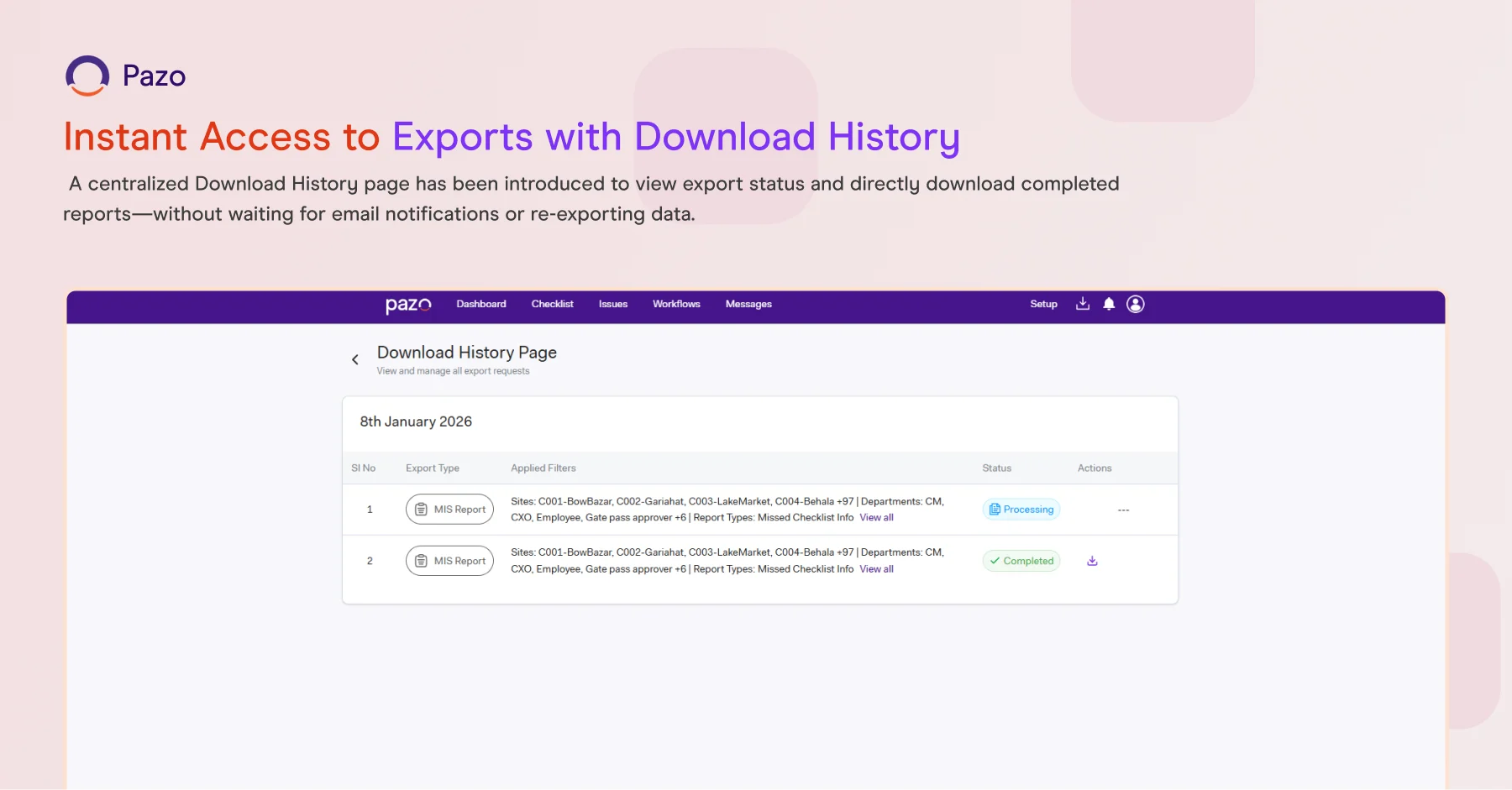
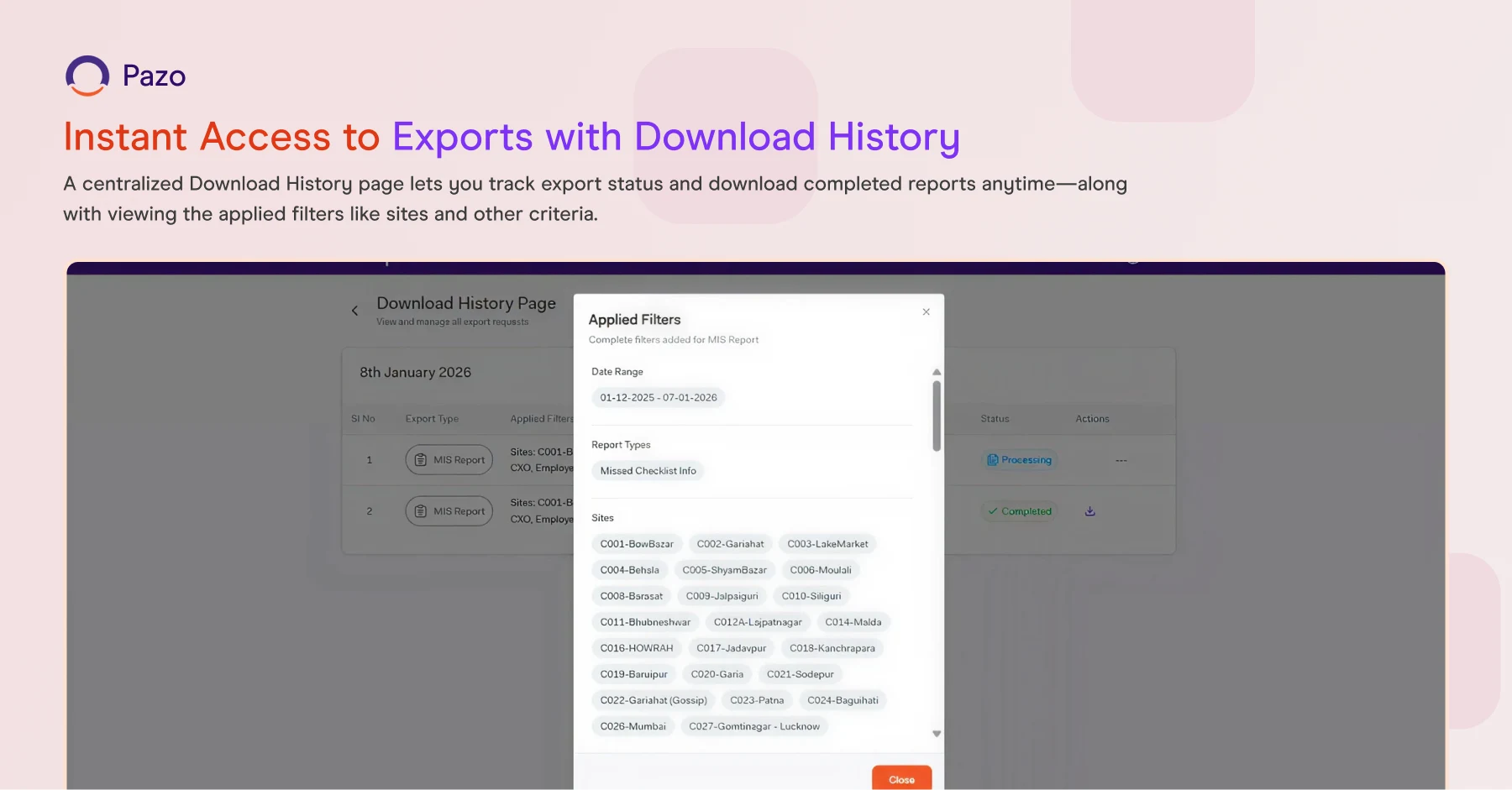
Instant Access to Exports with Download History
What It Does:
Introduces a centralized page to track export status and download completed reports directly.
Why It Matters:
No need to wait for email notifications or re-export—downloads are accessible in one place.
Workflow Date Validation Enhancements
What It Does:
Allows restricting past and/or future date selection during workflow submissions.
Why It Matters:
Prevents invalid entries and improves data accuracy.
Flexible Distance-Based Submission Control
What It Does:
Lets you configure the maximum allowed submission distance (replacing the earlier fixed limit).
Why It Matters:
Gives flexibility for different site sizes and operational needs while maintaining location-based compliance.

WHAT'S NEW
Mobile App Screen Capture Control
What It Does:
Restricts screenshots and screen recording in the Mobile App to prevent unauthorized sharing of sensitive operational data.
Why It Matters:
Improves data security and helps protect confidential information in the field.
Activity Progress Indicators for Pending & Submitted
What It Does:
Shows Pending and Submitted counts directly in tabular views.
Why It Matters:
Enables quick tracking of execution status across locations and activities.
Checklist Grid View–Aligned Export
What It Does:
Enables exporting directly from grid views—while respecting applied filters.
Why It Matters:
Cuts extra steps and makes exporting faster and more accurate.
Workflow Export Enhancement: With or Without Comments
What It Does:
Allows including or excluding comments in workflow exports.
Why It Matters:
Helps tailor reports for different audiences (ops, compliance, leadership).
WhatsApp Notifications via Custom Fields
What It Does:
Triggers WhatsApp notifications using values entered in Custom Fields (e.g., phone number captured during submission).
Why It Matters:
Enables contextual, dynamic communication beyond pre-configured contacts.
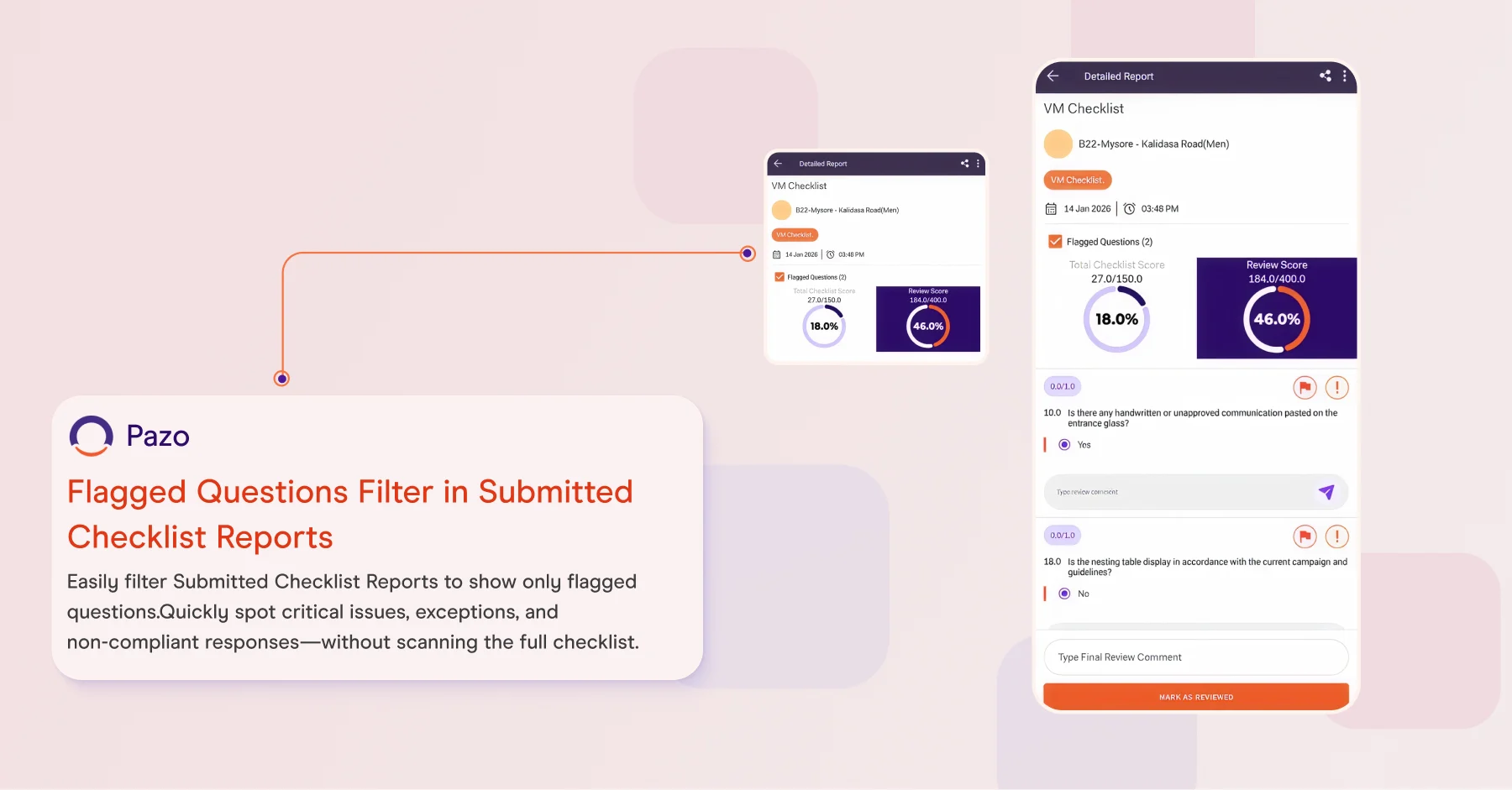
Quick Review of Flagged Items
What It Does:
Lets users filter Submitted Checklist Reports to view only flagged questions.
Why It Matters:
Helps reviewers focus on critical exceptions and non-compliance—without scanning the entire checklist.
L&D Interface Enhancements in Mobile App
What It Does:
Improves the L&D UI for smoother navigation and a better learning experience on mobile.
Why It Matters:
Makes training easier to access and complete in the field.
.webp)
Checklist Details & PDF View UI Enhancements
What It Does:
Enhances layout and readability for checklist details and generated PDFs.
Why It Matters:
Speeds up reviews and makes reports clearer for sharing and audits.
Schedule Configuration UI Enhancements
What It Does:
Simplifies the schedule creation and management UI.
Why It Matters:
Reduces setup time and makes schedule management easier for admins.