
What's New
Manage Compliance Across Multiple Departments
What It Does:
PAZO now allows you to configure multiple departments as Compliance Departments. Compliance issues raised under any configured department will automatically follow the configured reminder and escalation process.
Why It Matters:
Organizations can manage compliance activities across multiple teams, ensuring critical tasks are tracked and completed on time, regardless of the responsible department.
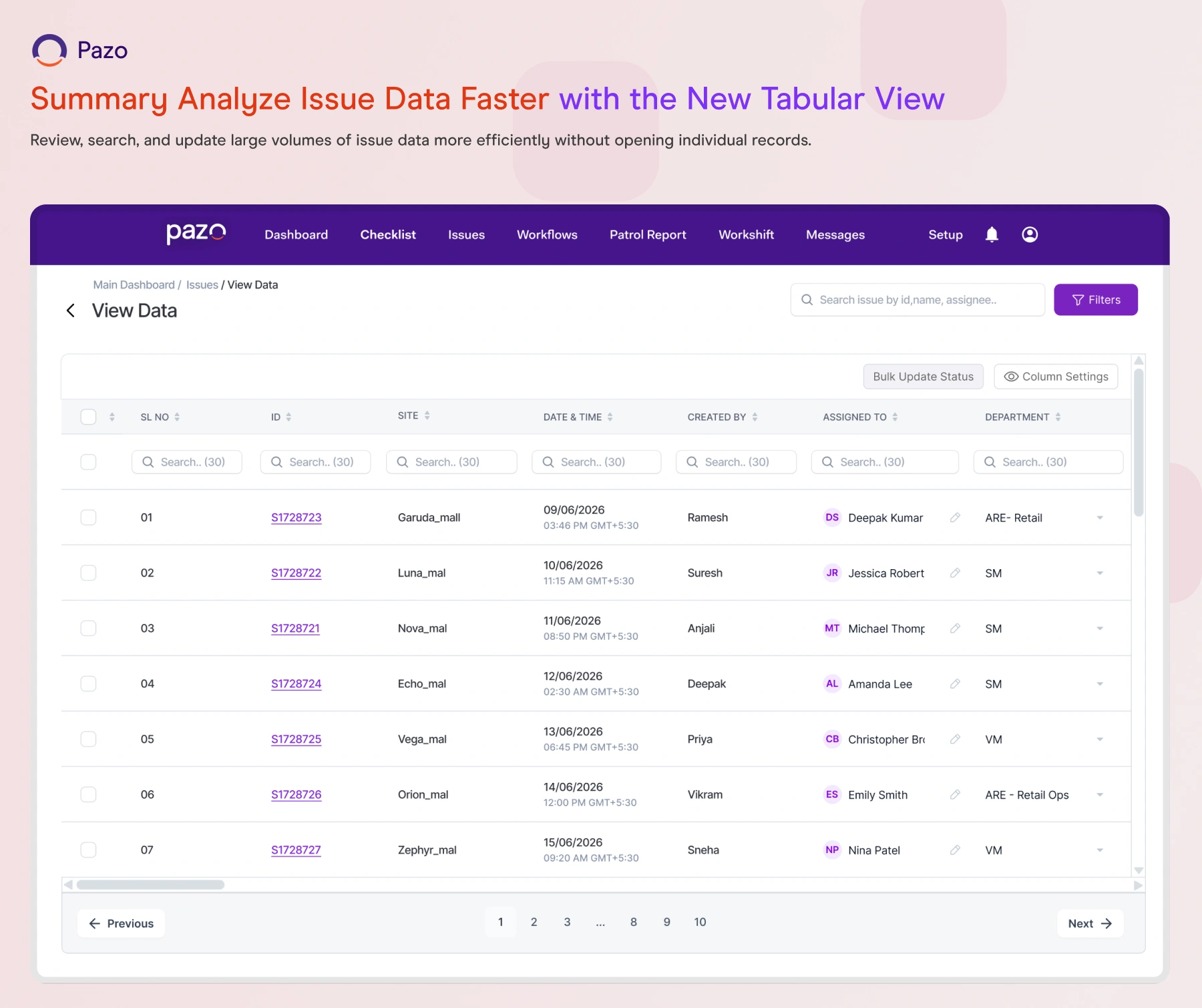
Analyze Issue Data Faster with the New Tabular View
What It Does:
The Issue View Data page now offers an advanced tabular experience with column-wise sorting, global search, configurable columns, and inline editing for supported fields.
Why It Matters:
Review, search, and update large volumes of issue data more efficiently without opening individual records.
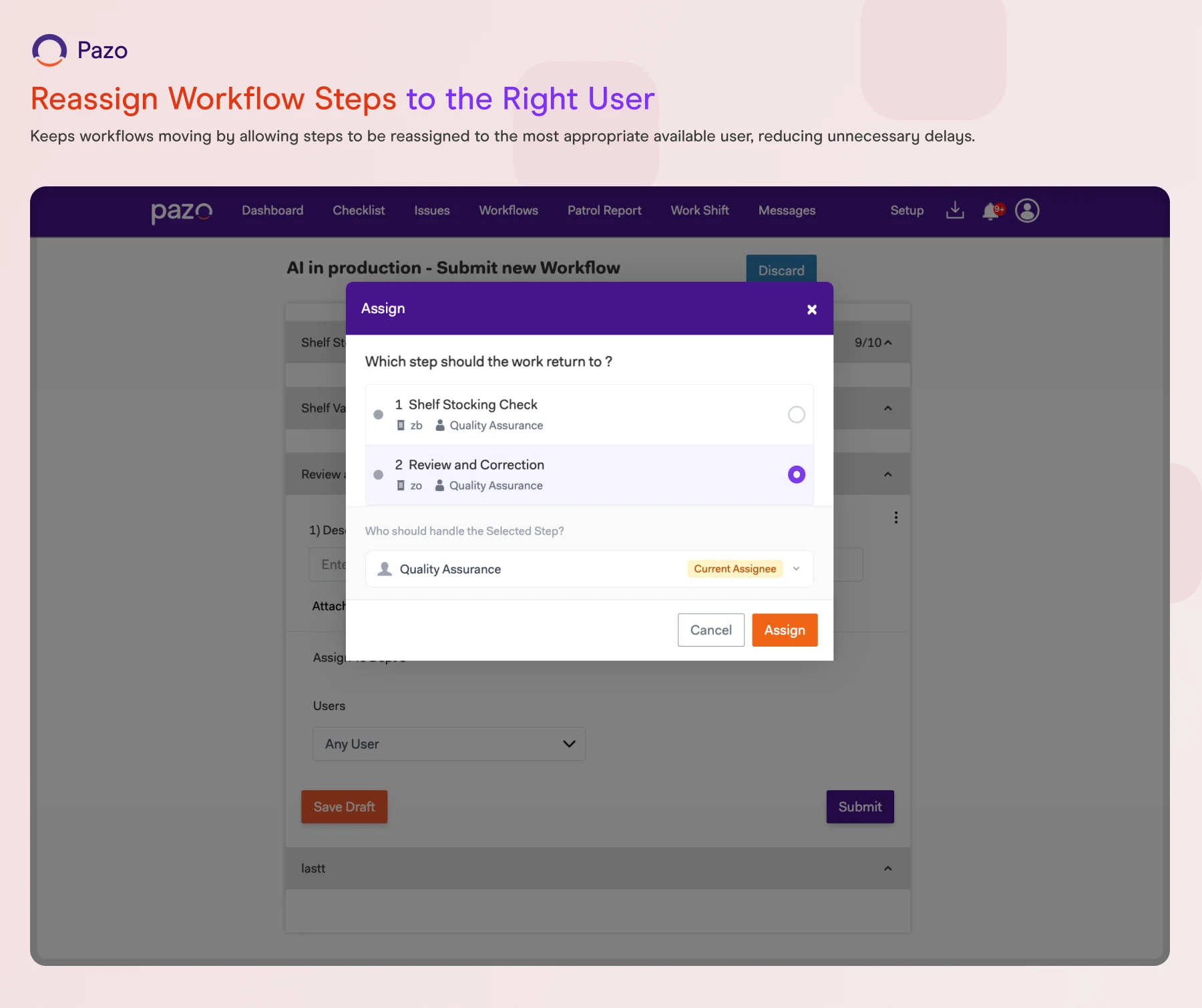
Reassign Workflow Steps to the Right User
What It Does:
When sending a workflow step back, you can now choose an eligible user instead of automatically assigning it to the user who previously completed the step.
Why It Matters:
Keeps workflows moving by allowing steps to be reassigned to the most appropriate available user, reducing unnecessary delays.
View Issue Data Across Multiple Months
What It Does:
The Issue Dashboard now allows you to view consolidated issue data by selecting up to three months.
Why It Matters:
Review issue data for longer periods without switching between individual monthly reports.

WHAT'S NEW
Quarterly Reporting in the Tabular Dashboard
What It Does:
The Tabular Dashboard now supports quarterly reporting by allowing you to select up to three months in a single view.
Why It Matters:
Simplifies quarterly operational reviews by providing consolidated data without manually combining monthly reports.
Ensure Workflow Steps Are Completed at the Right Location
What It Does:
Workflow administrators can configure a GPS Location question to ensure users can submit a workflow step only when they are within the configured distance from the site.
What It Does:
Improves process accuracy by ensuring location-sensitive tasks are completed only at the intended site.
Quick Access to Stock Availability
What It Does:
Users without stock movement permissions can now scan or manually select a location to view stock availability. QR scanning continues to be required for stock inward and outward transactions.
What It Does:
Makes it quicker and easier to check inventory while maintaining QR-based validation for stock movements.
Keep Daily Checklists Active Beyond Midnight
What It Does:
Daily checklist schedules can now remain active until their configured expiry time, even when it extends beyond midnight, with support for expiry times up to 3:00 AM on the following day.
Why It Matters:
Supports late-night operations by allowing valid checklist submissions after midnight without them being marked as missed.
Bulk Upload Pre Journey Plans for Multiple Users
What It Does:
PAZO now supports bulk uploading Pre Journey Plans (PJP) for multiple users using a single Excel file with separate sheets for each user.
Why It Matters:
Eliminates the need to upload individual files for each user, making PJP planning faster and more efficient for large teams.
Manage Schedules Across Multiple Holiday Sets
What It Does:
A single checklist schedule can now be associated with multiple holiday calendars.
Why It Matters:
Makes schedule planning easier for organizations operating across regions, business units, or locations with different holiday calendars, while reducing the need to create duplicate schedules.